Convert a JPG to a Word document you can edit
The words in a JPG of a page, a letter or a notice are stuck in a picture. Upload the JPG, check the text that appears beside it, and download it as a .docx file that opens in Word, Pages and Google Docs. Blank lines become paragraph breaks and tables become tables. Reading the text uses no credits.
Or drop an image here. PNG, JPG or WebP, up to 14 MiB.
Your image stays on this device until you sign in.
Examples
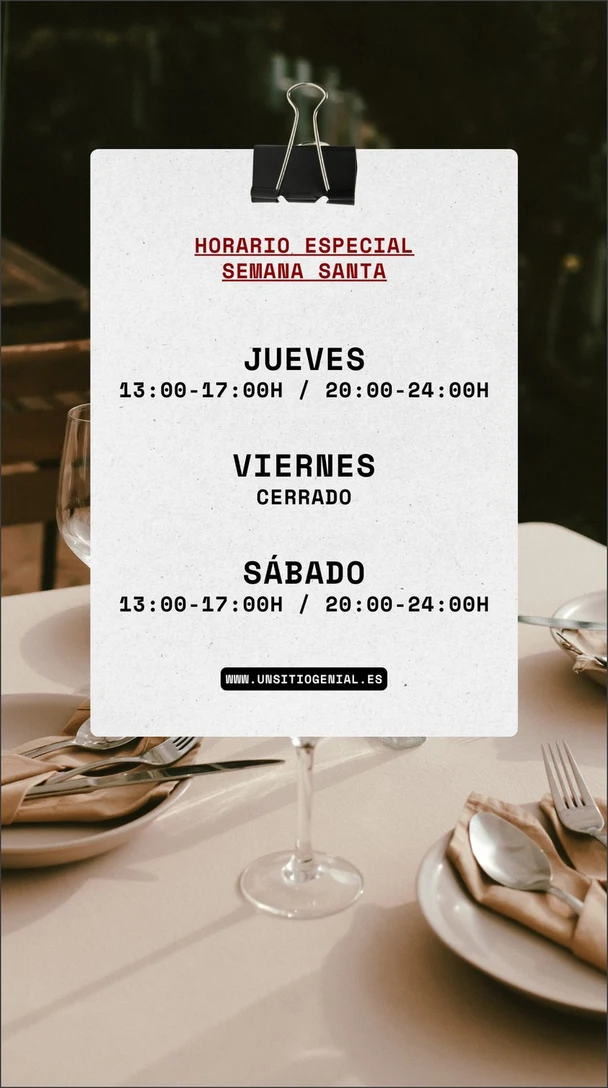
Text read from the image
HORARIO ESPECIAL
SEMANA SANTA

JUEVES
13:00-17:00H / 20:00-24:00H

VIERNES
CERRADO

SÁBADO
13:00-17:00H / 20:00-24:00H

WWW.UNSITIOGENIAL.ES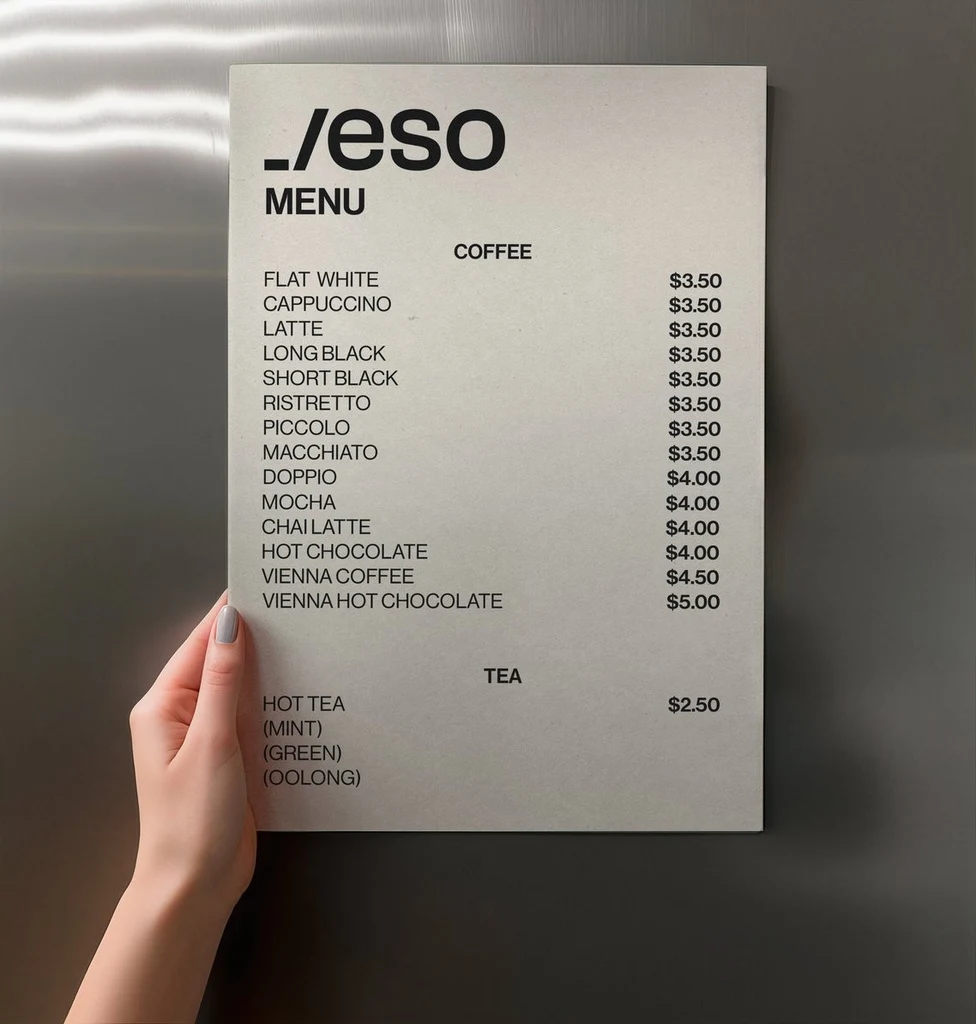
Text read from the image
_/eso
MENU
COFFEE
FLAT WHITE	$3.50
CAPPUCCINO	$3.50
LATTE	$3.50
LONG BLACK	$3.50
SHORT BLACK	$3.50
RISTRETTO	$3.50
PICCOLO	$3.50
MACCHIATO	$3.50
DOPPIO	$4.00
MOCHA	$4.00
CHAI LATTE	$4.00
HOT CHOCOLATE	$4.00
VIENNA COFFEE	$4.50
VIENNA HOT CHOCOLATE	$5.00
TEA
HOT TEA	$2.50
(MINT)
(GREEN)
(OOLONG)How it works
Sign in and upload the JPG
Sign in with Google, then upload the file. A JPG, PNG or WebP up to 14 MiB works. Photograph a page straight on and flat, and crop the picture to the part you need.
Check the text
The text appears beside your picture in reading order, in the language it is written in. Nothing is translated or rewritten. Compare it with the picture, especially names, numbers and dates.
Download the Word file
Select Download .docx to save a Word document, or Copy all to paste the text into a document you already have open.
Format it in Word
The file holds the text only: choose the font, the margins and the headings in your word processor. A table is a table, so you can restyle it or turn it back into text.
What goes into the Word file
The document follows the picture's reading order. Each block of text, such as a paragraph, a caption or a sign, becomes a paragraph, with a blank line in the picture marking where one ends and the next begins. Every line inside a block stays on its own line, as it was in the picture. If the picture is a page of running text that wraps at the margin, switch on Join the lines of each paragraph: each block then runs on as one paragraph, and a word that was split by a hyphen at the end of a line is put back together.
Rows that have a tab between their cells, like a menu with a price after each dish, become a Word table with one row for each line. Fonts, colors, pictures and page layout are not kept, because the file is made to be edited.
Photos, scans and screenshots
A JPG can be a photo of a page, a scan or a picture of a screen. The same habits help each one:
- Photographs: hold the camera straight above the page, in even light, with the page flat.
- Scans: scan at a normal resolution and straighten the page before you save the JPG.
- Screenshots: zoom in before you capture so small text is larger in the file.
- All of them: use the original file, because a copy that was shrunk or compressed when it was shared holds less detail.
Check the text before you rely on it
Small, blurry, low-contrast or heavily stylized text can be misread or skipped, and handwriting needs to be clear to come back right. Compare the text with the picture before you send the document anywhere, and look hardest at these:
- Names, including spellings and accents.
- Numbers such as dates, times, quantities and phone numbers.
- Prices and currency symbols.
- Email and web addresses, where one wrong character breaks the whole address.
One picture at a time
An account reads one picture at a time, so wait for the text to appear before you upload the next page. Each picture stays in My images, private to your account, and opening it again shows its text without reading it a second time. To build one document from several pages, download each page as its own file or copy the text of each page into the same document.
Frequently asked questions
How do I convert a JPG to Word?
Sign in with Google and upload the JPG. The text appears beside it in reading order. Check it against the picture, then select Download .docx to save a Word document you can edit. You can also copy the text and paste it into a document you already have.
Is it free to convert a JPG to Word?
Yes. Reading the text in a picture uses no credits, with or without a plan. You do need to sign in with Google first, because the tool works only with an account. Credits are used only if you change the picture itself with Edit text or Translate, which are separate tools.
Will the Word file look like my JPG?
No. The file holds the text in reading order, with paragraph breaks where the picture has blank lines and a table where it has rows with tabs between cells. Fonts, colors, pictures and page layout are not kept, so style the document in Word, Pages or Google Docs.
Can it read handwriting in a JPG?
It reads clear handwriting, such as notes and labels written by hand. Faint, slanted or very messy writing can come back with mistakes or missing words. Compare the text with the picture, and correct whatever is wrong in the document.
What if the text has mistakes or is missing words?
Start from a better picture: use the original file, crop to the text and photograph the page straight on in even light. Then upload the better picture. Whatever is still wrong is quick to fix in the document, since you are editing text and not retyping the page.
Try it on your own image
Or drop an image here. PNG, JPG or WebP, up to 14 MiB.
Your image stays on this device until you sign in.