Image to Word converter
Upload image- Free, no credits needed
- Download as a .docx file
- Your images stay private
No image?Try one of these
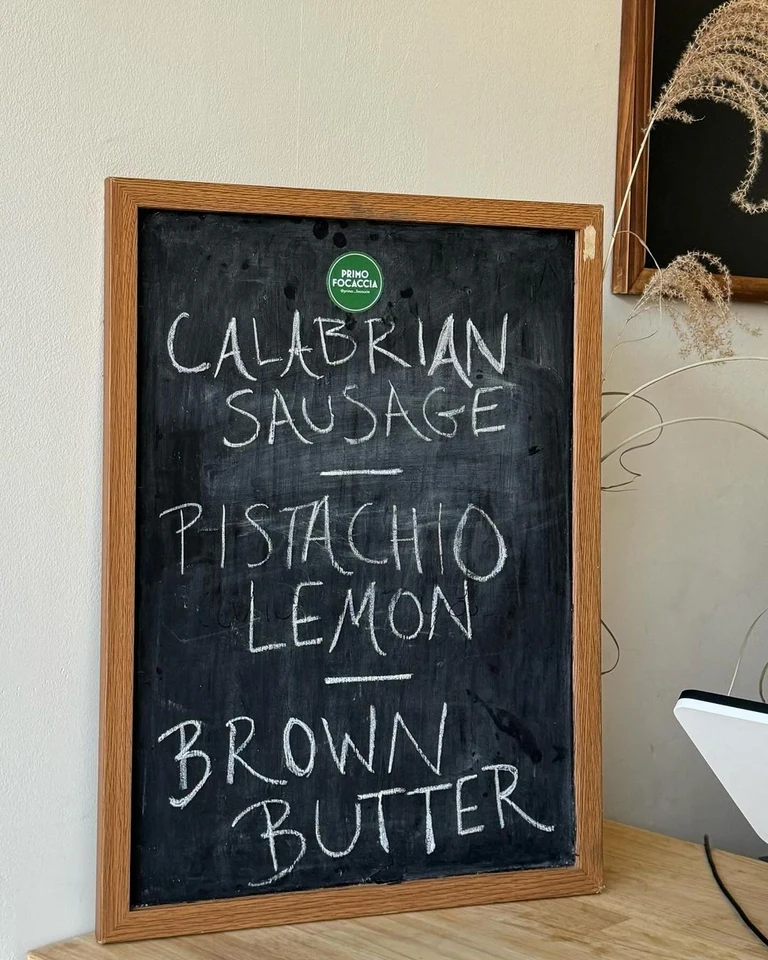
Text
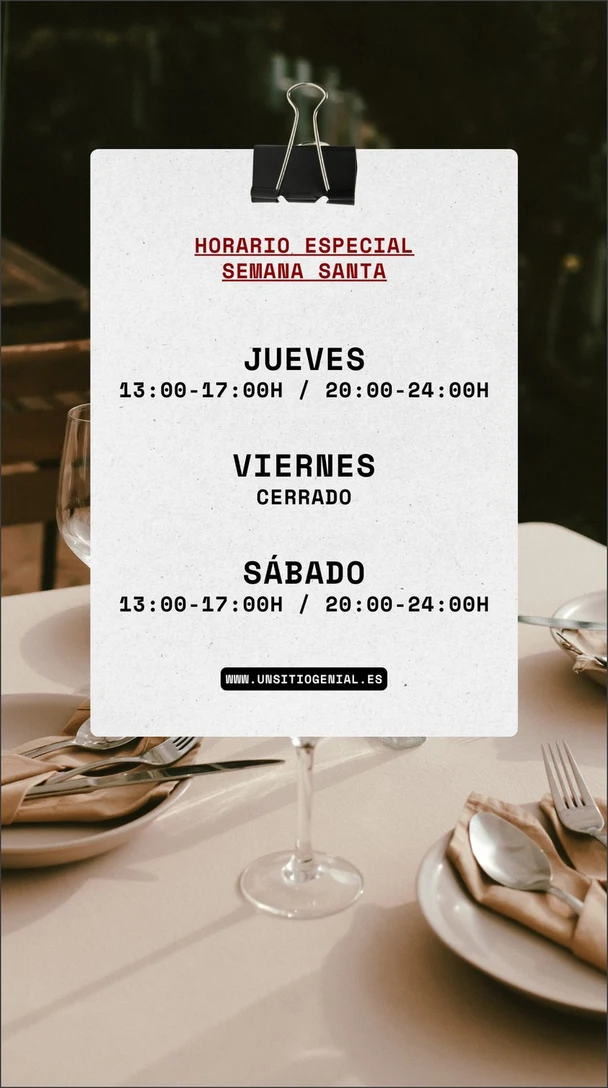
HORARIO ESPECIAL
SEMANA SANTA

JUEVES
13:00-17:00H / 20:00-24:00H

VIERNES
CERRADO

SÁBADO
13:00-17:00H / 20:00-24:00H

WWW.UNSITIOGENIAL.ESSee what it reads.
Each example shows an image and the text that goes into the Word file.
Text
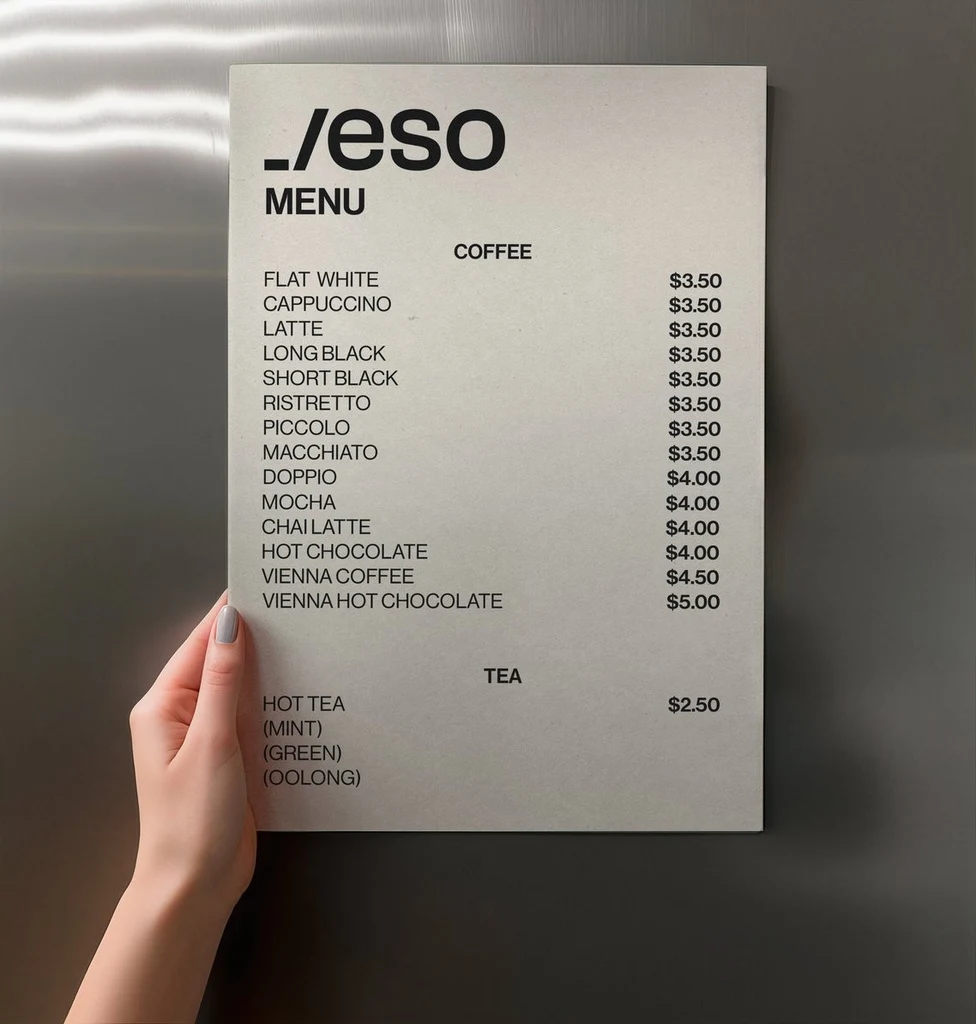
_/eso
MENU
COFFEE
FLAT WHITE	$3.50
CAPPUCCINO	$3.50
LATTE	$3.50
LONG BLACK	$3.50
SHORT BLACK	$3.50
RISTRETTO	$3.50
PICCOLO	$3.50
MACCHIATO	$3.50
DOPPIO	$4.00
MOCHA	$4.00
CHAI LATTE	$4.00
HOT CHOCOLATE	$4.00
VIENNA COFFEE	$4.50
VIENNA HOT CHOCOLATE	$5.00
TEA
HOT TEA	$2.50
(MINT)
(GREEN)
(OOLONG)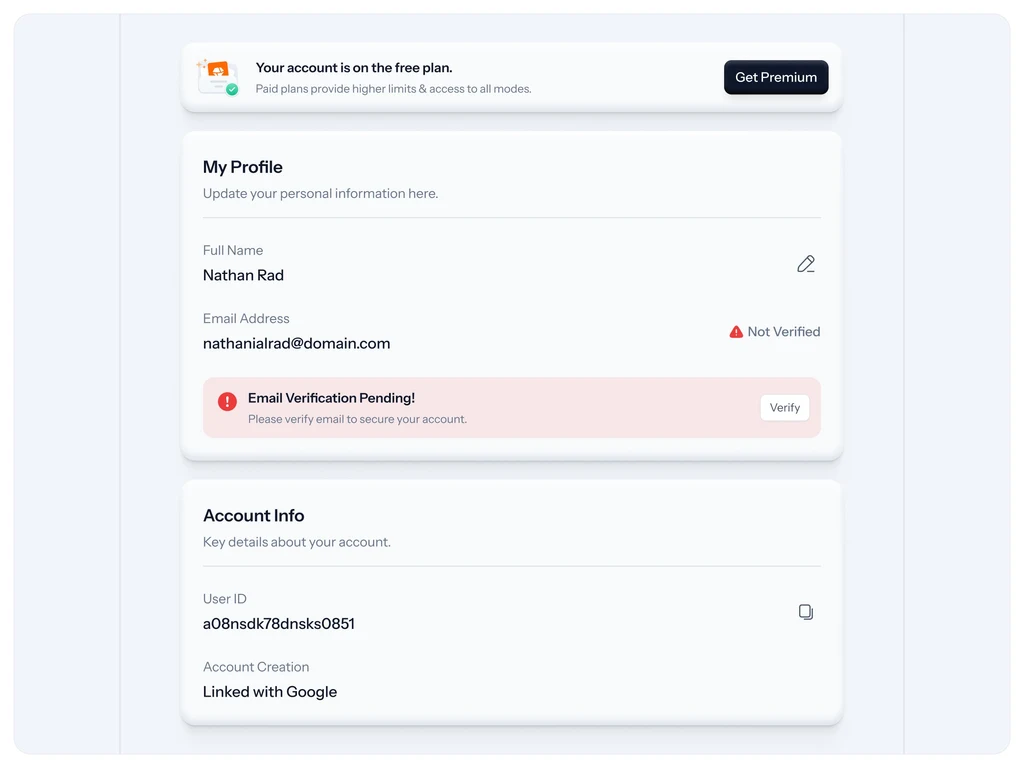
Text
Your account is on the free plan.
Get Premium
Paid plans provide higher limits & access to all modes.

My Profile
Update your personal information here.

Full Name
Nathan Rad
Email Address
Not Verified
nathanialrad@domain.com
Email Verification Pending!
Verify
Please verify email to secure your account.

Account Info
Key details about your account.

User ID
a08nsdk78dnsks0851
Account Creation
Linked with GoogleHow to convert an image to Word
Three steps from a photo to a document you can edit.
Upload your image
Sign in with Google and upload a PNG, JPG or WebP up to 14 MiB: a photo of a page, a screenshot, a scanned letter or a handwritten note.
Check the text
The text appears beside your image in reading order. Blank lines between blocks become paragraph breaks, and rows with a tab between cells become a table. If the image wraps a paragraph over several lines, switch on Join the lines of each paragraph. Nothing is translated or rewritten.
Download the document
Download a .docx file that opens in Word, Pages and Google Docs, or copy the text. Fonts, colors and page layout are not kept, so format the document in your own word processor.
Popular uses
Pick the kind of image you are working with.
Other tools
Every tool opens in the same editor. Edits use credits; reading text is free.
Edit text in image
Change the words in a photo, poster or screenshot while the new text follows the original lettering.
Translate text in image
Turn the words in an image into one of 35 languages, written back in a matching style.
Remove text from image
Erase words from a photo or graphic and rebuild the background behind them.
Add text to photo
Write new words into a photo so they look printed, painted or lit on a surface in the scene.
Image to text
Copy the words out of a photo, screenshot or scan as plain text, at no cost.
PDF to text
Copy the text out of a PDF, including scanned pages, as plain text, at no cost.
Image to Excel
Read a table from a photo, screenshot or scan and download it as a spreadsheet, at no cost.
Alt text generator
Get a short and a long alt text for any image, in 35 languages, at no cost.
Frequently asked questions
How do I convert an image to Word?
Sign in with Google and upload the image. The text appears beside it, line by line, in reading order. Check it against the image, then select Download .docx to get a Word document you can edit, or copy the text into a document yourself.
Is Image to Word free?
Yes. Reading the text in an image uses no credits, with or without a plan; you only need to sign in with Google. Credits are only for changing the image itself: editing, translating or removing its text.
Does it keep the layout and fonts?
No. The document holds the text in reading order. Blank lines between blocks become paragraph breaks, and each row of a table, with a tab between its cells, becomes a row of a Word table. Fonts, colors, pictures and page layout are not kept, so style the document in your word processor.
Can it read handwriting and other languages?
It reads clear handwriting and text in many languages, and keeps the original characters and accents. Messy writing can come back with mistakes, so compare the text with the image before you rely on it. It does not translate; to put the words into another language inside the image, use Translate text.
Which programs open the .docx file?
Any program that opens Word documents, such as Microsoft Word, Pages, Google Docs and LibreOffice. The file holds plain paragraphs and tables, with no macros or embedded pictures.
Which files can I upload, and are they private?
Upload a PNG, JPG or WebP image up to 14 MiB after signing in with Google. Your images and their text are private to your account. My images keeps each image, so you can open its text again later without reading it a second time.